Step inside the machine.Surf every website possibility.
This is a guided ride through live demos—visual styles, color worlds, voice and type, layouts, features, interactions, and industry lenses. Nothing here is about how things are built; it's about what your visitors see, feel, and can do on your site.


Representative photography · each zone deepens the story
Station 02 · Navigation system
Your route through the demo
You’re about to move through different zones—each one spotlights a part of what a modern website can offer: look and feel, color mood, voice, layout patterns, feature modules, interactions, and how the same framework can flex for different industries.
One continuous ride
Eleven destinations from launch to recap—follow the track or skip ahead anytime.
Hands-on previews
Tap options and watch representative screens change—see outcomes, not theory.
Zone 03 · Visual styles
Pick a look—see the same ideas in different skins
Switch styles and watch the preview shift. From airy light layouts to cinematic dark scenes, these directions show how flexible your site can feel—same structure, totally different first impression.
Calm confidence—your story stays readable, spacious, and easy to scan.

Your story starts here.
Calm confidence—your story stays readable, spacious, and easy to scan.
Visitor feels
Trust & clarity
Best for
First impressions
Zone 04 · Color worlds
Step into different atmospheres
Each world changes the emotional temperature of the page—bright and open, soft and calm, vivid and bold, or deep and cinematic. Pick one to feel how color steers the visitor's mood before they read a word.
Active atmosphere
Dawn · airy & open
Bright, breathable pages that feel optimistic—ideal for openness and clarity.
Canvas
Ink
Focus
Highlight
Surface
Zone 05 · Voice & type
Shape how your brand sounds on the page
Typography isn't decoration—it sets expectations. Choose a voice and see how headlines and body copy change the way visitors perceive trust, energy, and sophistication.
Live specimen
Craft you can sense before you scroll.
Balanced headlines and relaxed body copy invite people to linger and explore—ideal for portfolios, makers, and heritage brands.
Visitor takeaway: Reads as elevated and deliberate—perfect when every word should feel considered.
Zone 06 · Layout chamber
Choose how visitors move through your story
Layout decides pacing—whether people skim cards, scroll a cinematic story, compare side-by-side, or dive deep into long reads. Swap views and imagine how each structure changes the journey.
Zone 07 · Section types
Choose the sections your site needs most
These are the building blocks that shape how your site works for visitors—building trust, explaining services, answering questions, comparing options, and turning interest into contact. Select the section types that fit your business best.
These choices help shape what goes into your site build.
Select a section type to see what it adds to your site
Tap cards to add or remove—your picks are saved for your inquiry.
Choose the types of sections your site needs most
Persistent navigation
Keeps orientation during long scrolls so visitors always know where to go next.
Mobile navigation
Collapses elegantly on small screens without hiding important paths.
Lift-on-hover cards
Draw attention to offers or stories the moment a cursor arrives—without feeling gimmicky.
Proof grids
Line up credentials, logos, or metrics so credibility scans in seconds.
Pricing module
$480/mo
- Compare tiers at a glance
- Highlight what's included in each package
- Make the recommended path obvious
“We finally had a shared vocabulary—structure, tone, and motion aligned before we wrote production copy.”

Jordan Avery
COO, Meridian Labs
- Launch velocity
- 38%
- Avg. session
- 06:12
- Trust uplift
- +21
Visitors get answers on demand—dense topics stay tidy until someone actually needs the detail.
Lead capture
Product grid
Merchandising density

Series A
Configurable tile

Series B
Configurable tile

Limited
Configurable tile

Archive
Configurable tile
Zone 08 · Interaction tunnel
Feel how the page can respond
Each pattern below shows a different way to heighten attention—reveals, comparison, motion, depth, and explore-and-discover moments. They exist to make your story clearer, more convincing, or more exciting—not busier.
Guided grid overlay
Precision you can show, not just tell
Layered grids and framing cues help visitors understand complex offers— perfect when you need to feel rigorous, technical, or detail-rich without overwhelming the page.
- Focus
- Locked
- Pacing
- Steady
- Clarity
- High

EXPLORE · COMPARE · DECIDE

Hover reveal narrative
Extra detail appears exactly when curiosity peaks—great for catalogs and layered stories.
Hover reveals
Reward curiosity—secondary stories and proof slide in without cluttering the first view.
Animated counters
0 ms
Highlight key numbers with animated counts so performance feels visible and immediate.
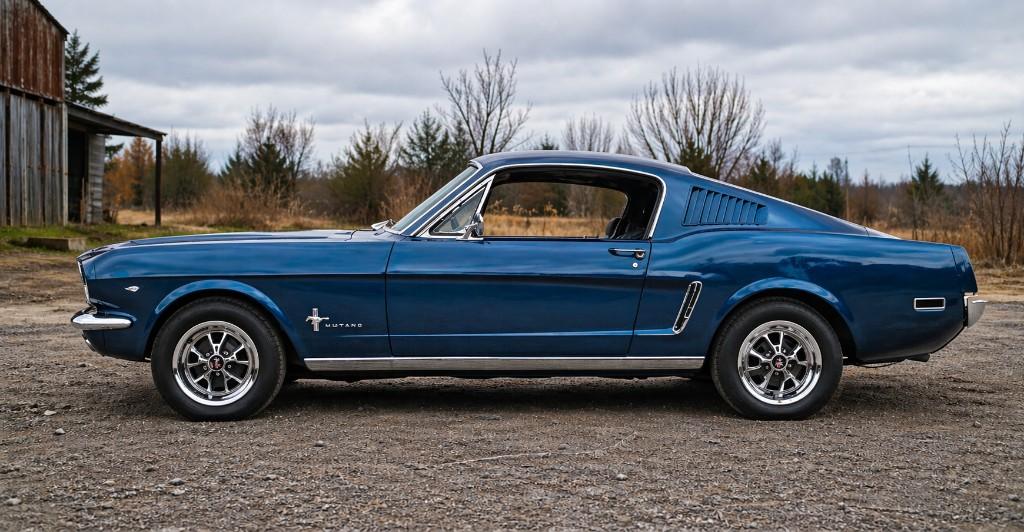
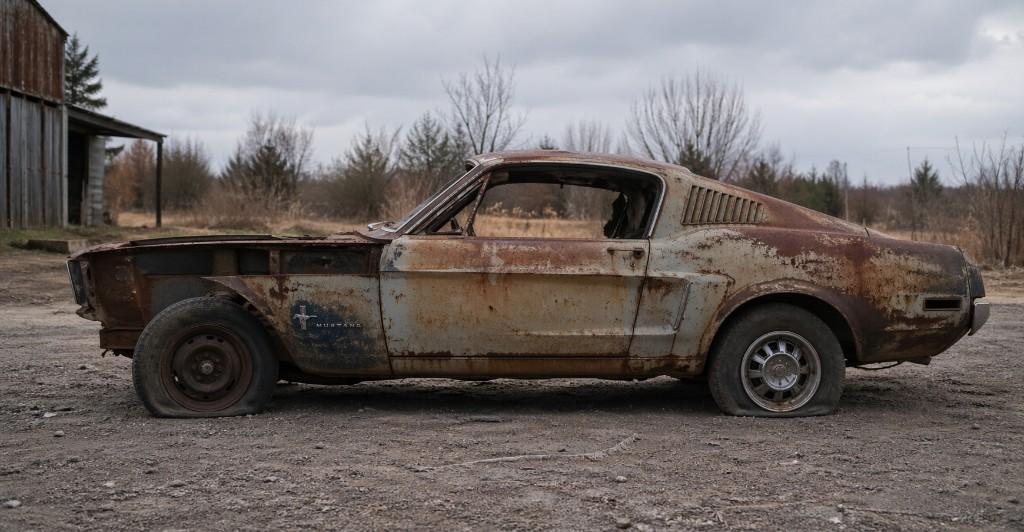
Comparison slider
Drag anywhere on the scene (or use arrow keys when focused) to compare baseline photography with an elevated grade—smooth on touch and mouse.
Tabbed content
Signal
Keep one hero message unforgettable—the first screen does the heavy lifting.
Guide visitors through a story with sections that reveal information in stages.

Parallax band
Subtle depth makes hero photography and flagship visuals feel alive as visitors scroll.

Interactive hotspots
Let visitors tap points of interest—ideal for tours, products with multiple highlights, or rich hero scenes.
Tactile motion cards
Depth that reacts to attention
Gentle tilt makes premium products and key modules feel tangible on screen.
Microinteraction
Scroll-linked motion
Content can fade and glide into view as visitors arrive—so each chapter of the page feels intentional.
Consistent rhythm
When motion repeats with the same timing, the whole experience feels polished and trustworthy.
Zone 09 · Industry views
Same framework, different demo rooms
Watch how imagery, emphasis, and pacing shift when the audience changes—manufacturing reads differently from hospitality, SaaS from luxury retail. Select a sector to preview the vibe.
Zone 10 · Your chosen experience
Your demo direction at a glance
A concise snapshot of what you explored—preferences we can translate into strategy, structure, and design when you're ready to talk about your live site.
Your demo direction pairs Light & minimal with dawn atmosphere—refined & premium voice and a storytelling journey browsing rhythm for SaaS audience.
Together these choices describe how your site can look, feel, and guide visitors—before a single production asset is finalized.
- Visual style: Light & minimal
- Color world: Dawn · airy & open
- Brand voice & type: Refined & premium
- Layout approach: Storytelling journey
- Industry lens: SaaS
Direction board
- Visual style
- Light & minimal
- Color world
- Dawn · airy & open
- Voice & type
- Refined & premium
- Layout approach
- Storytelling journey
- Section types
- —
- Industry lens
- SaaS
What this communicates
You're leaning toward a light & minimal look with a dawn atmosphere, refined & premium voice, and a storytelling journey browsing rhythm—framed for saas audiences.
ZONE 11 · WHAT'S NEXT
Turn your selections into a real site plan
This showroom helps you clarify what fits your brand—how your site should look, feel, and guide visitors. When you're ready, send us your selections and we'll use them as a starting point for your website strategy, design direction, and build.
You've defined a strong starting point—your selections can travel with your inquiry when you contact us about your real site.